Portfolio

Built for SAX. Running every day.

Specialist chatbots for the firm, a construction copilot, and the automations behind daily operations. Each one runs in production on the SAXTech Enterprise AI Platform.

AI Chatbots Construction AI Automations
AI Chatbot Portfolio

MegaMind. Eight specialists, one workspace.

SAX’s AI workspace. Staff sign in with Microsoft and move between specialists without losing the session.


MegaMind
Welcome to
MegaMind AIV9
MegaMind AI
New conversation
MegaMind Memory
Skills
Routines
Projects
SPECIALISTS
{{ b.name }}
TECH
SASAX Staff
{{ b.domain }} · {{ b.name }} · New conversation
LIVE REASONINGShow Me How
THURSDAY · SEPTEMBER 24
Ask {{ b.name }}.
{{ b.tag }}
{{ s }}
{{ b.q }}
REASONING
{{ b.name }}
{{ b.aT }}
{{ x }}
Ask {{ b.name }} anything…
Attach{{ b.name }}
Send
What each specialist does, and what it connects to · hover to see it answer
{{ b.name }}{{ b.role }}
{{ b.does }}
{{ i }}
Construction niche

AskForeman. A jobsite copilot for painting and coatings crews.

Three assistants, each working from the project’s own drawings, specs, estimates, and contracts.

Foreman AI
AskForeman
Foreman AI — your jobsite copilot for painting & coatings crews
Enter the Jobsite →
SAXTech © 2026
AskForeman
Foreman AI — your jobsite copilot
Assistant
{{ f.ico }}{{ f.name }}{{ f.sub }}
Project
Riverside Medical Center▾
Tools
Submittal Builder
Change Order Digitizer
Documents
Digital Takeoff
+ New Chat
SAXTech © 2026
{{ f.name }}
AskForeman
Foreman AI — your jobsite copilot for painting & coatings crews
{{ p.ico }} {{ p.name }}
{{ p.card }}
{{ c }}
{{ f.q }}
⛑
{{ f.lead }} {{ f.aT }}
{{ c }}
{{ r.p }}{{ r.r }}{{ r.v }}
{{ f.a2T }}
SOURCES
{{ x }}
Ask the foreman anything…Send
Enter to send · Shift+Enter for a new line
What each assistant does, and what it connects to · hover to see it answer
{{ f.name }}{{ f.sub }}
{{ f.does }}
{{ i }}

Inside the jobsite copilot.

The tools behind the chat, from the demo tenant.
▲ASKFOREMAN—TAKEOFFRiverside Sample Project← Back to app
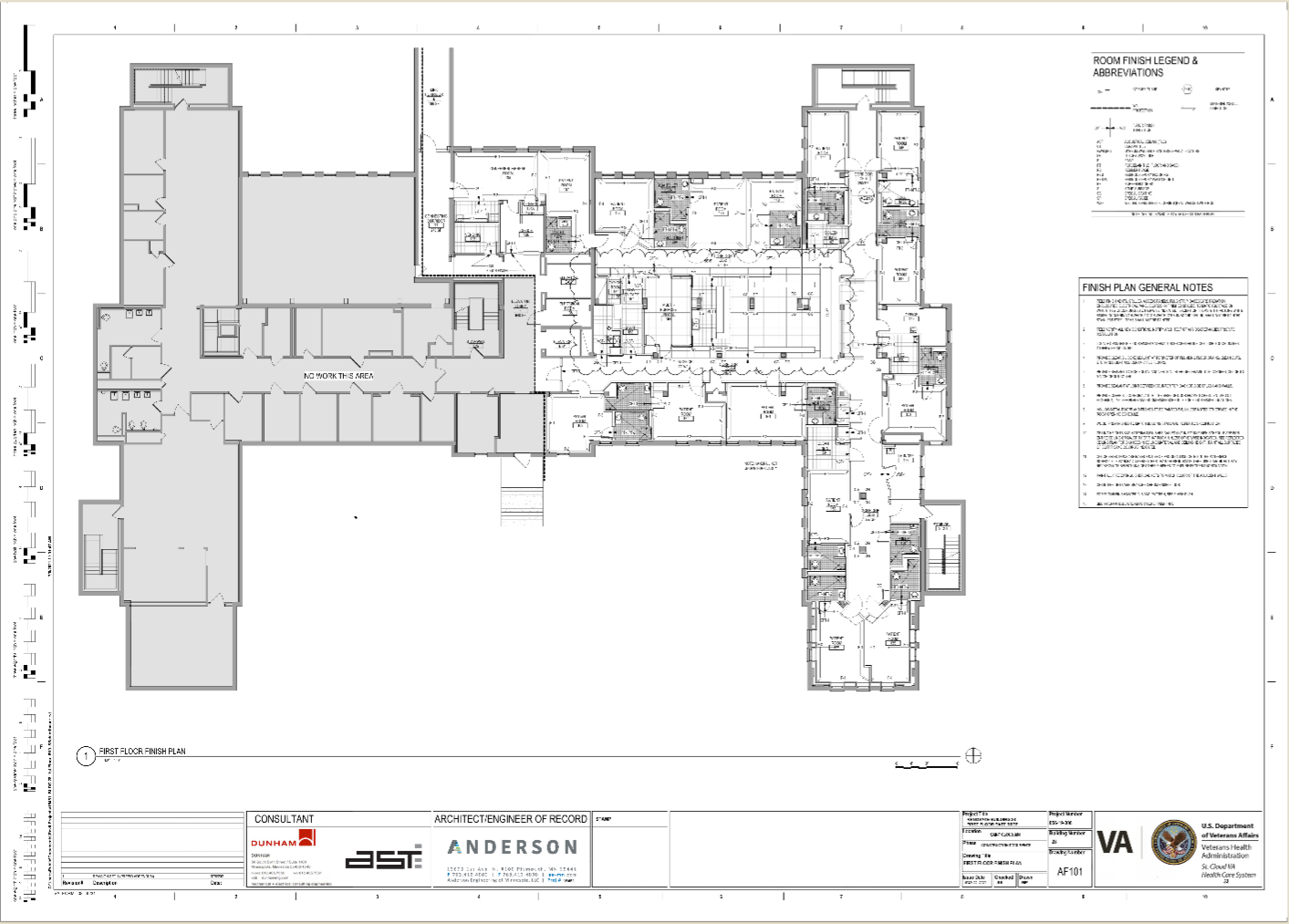
ASKFOREMAN TAKEOFF+ Open↻ New takeoffPull from project▦ Sheetssample-finish-plan.pdf ▾‹AF101 · 1/2 ▾›✥↖☆ Area ▾Eraser ▾Markup ▾Edit ▾Zone∠ 45° ✓ftSet scale for AF101… ▾⌖ plan says 1/8" = 1'-0" – useSharpensaved ✓+ AI Takeoff AnalyzerSave to projectREPORT
SHEETSAF101 ✕Baruch Houses _Digi… ✕2 open ▾
FINISHES (CONDITIONS)
Each finish you measure — a paint, a floor, a coating. Pick one, then measure the areas it covers.
{{ f.n }}{{ f.t }}+ condition
CPT-1LineHatchTerrazzo / speckle ▾Waste5%Materials (1)★ Save presetPresets ▾✕ Delete
Floor finish plan
CPT-1Click inside a room — it selects itselfCPT-1 TOTAL (0)(1)(2)—1,284.6 SF2,137.9 SF0 shapes on sheet1 shape on sheet2 shapes on sheet · zoom 21%
AI Takeoff AnalyzerReading finish tags on AF101…VCT-1 · corridor & nurse stationLVT-1 · north wing roomsCT-1 · south wing toilets✓ 3 conditions measured and added
+−fit
AI digital takeoff
Pick a finish, click inside a room and it selects itself. The AI Takeoff Analyzer reads the finish tags on the sheet and measures the rest.
▣Submittal Builder✕
① Choose Types
② Generate
Choose the submittal type(s) you need — each one generates as a fully formatted document.
★ Closeout Package
QC · Safety · Warranty & Closeout — selected in one click
▤ {{ c.t }}
{{ c.d }}
GenerateGenerate
Generating 4 documents for Riverside Sample Project from its specs, product data, and drawings.
{{ g.t }}✓ .docx
ABC CONSTRUCTION GROUP
Painting & Coatings
QUALITY CONTROL SUBMITTAL
Submittal No. 09 91 23-01 · Rev 0
Riverside Sample Project
Date: 09/24/2026
Item DescriptionInterior painting — CMU and gypsum board walls, Levels 1–2ManufacturerPer approved product data (Submittal 09 91 23-02)Model/Product NumberBlock filler · acrylic primer · eggshell finishLocation/AreaPatient rooms, corridors, nurse stationsQuantity≈ 14,200 SF (from AF101 takeoff)
Inspection & Test Plan
Inspection PointAcceptance CriteriaResponsibleSurface prepClean, dry, patched; moisture < 12%ForemanPrimer coatFull coverage, DFT per data sheetQC InspectorFinish coatsUniform sheen, no holidaysQC / GC
Approvals
RoleActionName (Print)DateSignatureContractorSubmitted   ArchitectReview   
Submittal Builder
Pick the submittal types and each one generates as a fully formatted document from everything uploaded to the project.
✎Change Order Digitizer✕
T&M Ticket #79/22
Riverside Medical — Mech Room
Owner asked for 2nd coat epoxy on mech room floor, approx 850 sf. Prep + roll.
Labor: 2 painters × 6 hrs
Material: 3 kits epoxy (2-part, 3 gal)
Auth by: M. Ortiz (GC super)
Foreman — J.R.
scan_ticket_07.pdf · handwritten
ABC CONSTRUCTION GROUP
Painting & Coatings
T&M Change Order Proposal
ABC Construction Group
•••• •••• Road
••••, •• •••••
GC :General Contractor ••••Auth:M. Ortiz, SuperintendentForeman:J.R.Authorization Date:09/22/2026
Project:Riverside Medical CenterTicket #:7Change Order Date:09/24/2026
Change Proposal # : CO-007Mechanical Room
Apply a second coat of two-part epoxy to the mechanical room floor (approx. 850 SF), including surface prep and roller application, as requested by the Owner on 09/22/2026.
Labor Breakdown
DescriptionHoursRateAmountJourneyman Painter (2 × 6 hrs)12.0$95.00$1,140.00
Materials Breakdown
MaterialDescriptionQtyUnit RateAmountEpoxy kit2-part epoxy, 3 gal kit3$285.00$855.00
Total For Change Order     $1,995.00
Kindly issue us a change order for this amount.
Edit line itemsDownload PDF
Handwritten change orders, digitized
A scanned field ticket becomes a formatted T&M change order proposal with labor, materials, and totals, ready to send.
AI Automations

The firm’s paperwork, running itself.

Portals and workflows in production at SAX, each built on the SAXTech Orchestrator. Every user and admin page is shown as it runs today, with names and client data masked.

International travel

Employees request travel access from the portal. HR approves or denies from an email, and on approval the automation unblocks the destination in Entra Conditional Access for those dates only, notifies the SOC, updates the ticket, and re-blocks the country when the trip ends. Overlapping trips keep a country open until the last one returns.

Employee portal
SAX Technology Advisors
INTERNATIONAL TRAVEL PORTAL
New RequestMy TripsAdjust TravelEAEmployee A
e•••@firm.com
Request International Travel Access
  • Complete this form to request temporary access for your SAX devices while traveling internationally.
  • Please submit at least 2–3 business days before your departure.
  • Access can not be granted if travel has not been pre-approved by HR. This is a completely automated process that relies on SAX HR approving your submission.
  • Please note, IT can not approve travel requests and all communications regarding travel outside of this form must be facilitated through HR.
Association & Identity
Select your SAX entity and confirm your information
Choose Your Association *
◉ Sax Advisory Group○ Sax Wealth Advisors
Employee A
e•••@firm.com
Travel Destination
Select the country or countries you’ll be visiting
Where will you be travelling? *
🔍 Portugal
Portugal ✕
Travel throughout the US and India locations is already approved.
🚫 Permanently Blocked Countries (Sanctioned / High Risk)▾
Travel Dates
Departure and return
10/02/2026
10/09/2026
Submit Travel Request✓ Submitted — HR has been sent your request for approval
HR approval email
Travel Approval Request — Employee A · Portugal
From: International Travel Portal · To: HR Approvals
TravelerEmployee A · Sax Advisory GroupDestinationPortugalDates10/02/2026 – 10/09/2026
ApproveDeny
✓ Approved. Country unblocks automatically on 10/02 and re-blocks after 10/09.
Admin portal
International Travel AdminADMIN
DashboardAll TripsOverlapsAudit LogNotifications
TOTAL REQUESTS
122123
PENDING APPROVAL
010
ACTIVE (UNBLOCKED)
910
APPROVED (UPCOMING)
9
COMPLETED
105
DENIED / CANCELLED
1
Currently Active (Countries Unblocked)
USEREMAILTENANTDESTINATIONSTARTRETURNSOCACTIONSEmployee Ae•••@firm.comfirm.comPortugal10/2/202610/9/2026✓ NotifiedOverride CancelEmployee ••••e•••@firm.comfirm.comSpain9/22/20269/22/2027✓ NotifiedOverride CancelEmployee ••••e•••@firm.comfirm.comGermany9/24/20269/29/2026✓ NotifiedOverride CancelEmployee ••••e•••@firm.comfirm.comRomania, Hungary, Albania, Germany9/17/20269/24/2026✓ NotifiedOverride CancelEmployee ••••e•••@firm.comfirm.comItaly9/15/20269/26/2026✓ NotifiedOverride CancelEmployee ••••e•••@firm.comfirm.comUnited Kingdom, Germany9/20/20269/30/2026✓ NotifiedOverride Cancel
Automation Audit LogAll Events ▾Clear All
{{ l.t }}{{ l.k }}{{ l.m }}✕

App requests and the approved list

Employees request new software through a guided form covering business justification, cost, and SSO/MFA security. IT reviews each request in the admin portal, where it can be approved or denied automatically against policy. Approved apps are published to the Approved Applications list with their champion and support path, and the chatbots are trained on them.

App Request Portal — employee
SAXAPPLICATION REQUEST PORTAL
New RequestMy RequestsEBEmployee B
e•••@firm.com
What Type of Request?
Select the category that best describes your request
View SAX Approved Applications List
Add-in to Existing Program
Plugin, extension, or add-on for software we already use
Tool for Personal Use
Individual productivity tool or utility for your role
Application for Department/Group
New application for a team, department, or company-wide
Replacement of Existing Application
Replace a current tool with a new solution
File-Transfer Tool Exception Request
Section 5: Security & Authentication
Security is non-negotiable for financial advisory
⚠ Applications that do not support SSO/MFA integration will NOT be approved. This is a firm-wide security requirement with no exceptions.
SSO Support? *
YesNoUnknown
MFA Support? *
Yes — NativeYes — Through SSONoUnknown
SOC 2 Type II? *
Yes
ISO 27001?
Yes
← BackSave DraftContinue →
App Request Portal — admin
🛡 SAX App Request — Admin
Dashboard⚙ SettingsLogout
2829
TOTAL
010
SUBMITTED
0
IN REVIEW
3
MORE INFO
2
VENDOR
1213
APPROVED
9
DENIED
AllSubmittedIn ReviewMore InfoVendorApprovedDeniedSearch by name or app…
APP NAMEREQUESTORTYPEDEPARTMENTSTATUSSUBMITTEDDiagram Studio•••• ••••Department/GroupAudit & AttestationSUBMITTEDAPPROVED9/24/2026Text Expander•••• ••••Add-inWealth ManagementDRAFT9/17/2026Docusign•••• ••••Department/GroupBusiness Development (M&A)APPROVED9/11/2026Entra B2B•••• ••••File-Transfer ExceptionManagement ConsultingDENIED9/8/2026Reynolds•••• ••••Department/GroupTaxPENDING VENDOR8/27/2026Fileforms•••• ••••Department/GroupCASMORE INFO NEEDED8/14/2026Datasnipper•••• ••••Personal ToolAudit & AttestationAPPROVED7/30/2026Calendly•••• ••••Department/GroupWealth ManagementDENIED7/16/2026
Approved Applications list
Approved Applications
Formally vetted and GLBA-compliant tools approved for SAX employee use.
ApplicationsRequest Approval
About the Approved Applications List

Every application listed on this page has been formally vetted and approved by SAX Technology Advisors on GLBA compliance, security posture, data flow restrictions, operational risk, and business use.

Each tool has a SAX internal champion and is approved only for its intended purpose.
🚫 Using Unapproved Applications
If it’s not listed, it’s unapproved — even browser access is disallowed. This includes remote-control tools, file repositories, and AI tools without IT approval.
Request Approval: App Request Portal
Approved Applications by Category🔍 Search for an app…
Finance/Billing 15 apps▲
AiwynBACK-ENDSAAS
SAX Advisory GroupSAX Capital Advisors
Payment and collections automation for SAX client invoices. Integrates with CCH Practice Management so released billing emails are formatted and delivered to clients, who pay directly online.
Finance/Billing
App Champion: •••• ••••
Visit Site ↗
ContractWorksSSOSAAS
SAX Advisory Group
Contract lifecycle management used by Legal/Operations to store, track, and manage firm contracts and vendor agreements, including renewal dates and approval workflows.
Finance/BillingOperations/Shared Services
App Champion: •••• ••••
Visit Site ↗
DealRoomSSOSAAS
SAX Advisory GroupSAX Wealth Management
Virtual data room and M&A deal management platform for organizing due diligence documents, managing deal pipelines, and collaborating securely with counterparties.
Finance/BillingLeadershipM&ATaxAudit & Attestation
App Champion: •••• ••••
Visit Site ↗

7216 compliance portal

Validates offshore access under IRC §7216 across every tax application. It finds signed engagement letters in the Thomson Reuters products, then runs permission automations for CCH Axcess, file server, Fixed Assets, Bloomberg, Caseware DAS, Caseware Working Papers, and Practice Management. Self-service buttons grant access on demand once a letter is validated, and an assistant answers questions and reports when permissions changed.

SAX
7216 Compliance Status Page
India Team Access Verification System
Next engagement letter ingestion: 9:45 PM ET
Last automation run: Current
Search by Client Name or Number
Can’t find your client? or Permissions issues?14,795 clients
{{ h }} {{ r.num }} {{ r.name }} Partner •••• {{ c.g }}✓ Request Access Grant Access
Caseware Self Serve AccessQueue: 1 of 1
Client: 2••••.059 · TRUST ••••
$ Connecting to Power Automate Desktop…
[9:24:47 PM] Engagement letter with §7216 consent found
[9:24:49 PM] Request initiated by ••••
[9:25:12 PM] Caseware: offshore group added to client file
[9:25:31 PM] Permissions verified · timestamp recorded
[9:25:32 PM] Complete ✓
7216 assistant
When did Caseware change for 2••••.059?
Caseware was granted tonight at 9:25:31 PM by the self-serve automation, after the signed engagement letter was validated.

Adobe signature stamps

Partners and leadership sign once in the portal. The automation builds the Adobe stamp, logs it in the admin dashboard, and emails an install link to the signer and the team that uses the stamp.

Signature portal
SAX Adobe Signature Stamps
Enter your name, select your office, sign in the box and ensure the preview looks right. Once confirmed, hit “Submit Signature”.
FIRST NAME
Partner
LAST NAME
••••
OFFICE
◉ Parsippany / Remote○ NYC
SIGN HERE1 stroke
Clear Signature
STAMP PREVIEWDownload Stamp (optional)
SAX
Submit Signature →✓ Submitted — install email on its way
Once you create your stamp, you and the team that will utilize your stamp will receive an email within the next few minutes with a link to install the stamp inside your Adobe Acrobat.
Admin dashboard
Admin Dashboard
SAX Adobe Signature Stamps
Submission HistoryConfigEmail TemplateStatus
Resend install email:CliftonNYCResend ↻
Drag existing stamp PDFs here to import retroactively
26 records — newest first
USERNAMEOFFICESUBMITTEDSTATUSPNGPDFp•••@firm.comPartner ••••PAR9/24/2026, 3:12:08 PMPendingCompletePNG ↓PDF ↓h•••@firm.com•••• ••••PAR9/24/2026, 2:40:36 PMCompletePNG ↓PDF ↓s•••@firm.com•••• ••••PAR9/10/2026, 10:39:11 AMCompletePNG ↓PDF ↓b•••@firm.com•••• ••••PAR9/7/2026, 7:35:51 PMCompletePNG ↓PDF ↓w•••@firm.com•••• ••••PAR8/12/2026, 11:45:37 AMCompletePNG ↓PDF ↓s•••@firm.com•••• ••••NYC7/28/2026, 10:14:30 AMCompletePNG ↓PDF ↓l•••@firm.com•••• ••••PAR7/20/2026, 3:02:55 PMCompletePNG ↓PDF ↓b•••@firm.com•••• ••••NYC6/23/2026, 2:10:23 PMCompletePNG ↓PDF ↓a•••@firm.com•••• ••••PAR6/17/2026, 2:48:01 PMCompletePNG ↓PDF ↓

Gift tax engagements

Clients complete the gift tax intake, review and e-sign the engagement letter and disclosure consents, and spouses receive their consent by email. In the admin portal, the team imports each submission straight into CCH Axcess to build the Form 709. The same submission creates the client and deal in HubSpot for billing and onboarding, and the signed letter goes to the internal team for Thomson Reuters.

Client engagement portal
Gift Tax Filing Engagement
Complete this form to engage with SAX Advisory Group for your 2025 gift tax filing and trust funding documentation. Our team will prepare and file the required Form 709 on your behalf.
TAX YEAR 2025
❶ Information② Review & Sign③ Confirmation
Your Information
Enter your first nameTaxpayer
Enter your last name••••
you@example.comt•••@email.com
(555) 555-5555(•••) •••-••••
Street Address•••• •••• ••••
Gift Tax Information
Have you previously filed a gift tax return?
YesNo
During tax calendar year 2025, were you married at the time of gifts?
YesNo
Were you a resident of Connecticut (CT) when you made the gifts?
YesNo
Did you make any gifts outside of funding the trust in 2025?
YesNo
Continue to Engagement Letter →
Engagement Letter
Please review the engagement letter below, sign at the bottom, and submit to complete your engagement with SAX Advisory Group.
✓ Information❷ Review & Sign③ Confirmation
Gift Tax Preparation Engagement Agreement
Tax Year 2025 • Form 709
SAXAccounting
Tax | Advisory
Engagement Letter
Dear ••••:
This Agreement sets forth the terms and conditions upon which Sax Advisors LLC (“Sax”, “we”, “us”, or “our”) will perform the Engagement Services (the “Services”) for •••• (“Client”, “You”, “Your”, or “Company”) and to Your affiliates.
Fees — Our fees are based on a variety of factors, including the time required for work performed as well as the number and complexity of issues encountered during this engagement.
Client Signature
Review all three engagement documents, then sign once. Your signature will apply to all three: (1) Gift Tax Engagement Agreement, (2) Consent to Disclose Tax Return Information – Sax India, and (3) Consent to Disclose Tax Return Information – trust administrator.
Admin portal
Gift Engagement Admin Portal
Manage signed engagements, import to CCH Axcess, and attach tax documentation.
a•••@firm.comSample Excel Data TemplateExport ExcelSign Out
46
TOTAL SUBMITTED
3334
CCH IMPORTED
1312
PENDING IMPORT
46
SIGNED PDFS
7
PENDING SIGNATURES
🔍 Search clients by name…
▸ ⏳ Pending Signatures 7Awaiting co-signature — not yet in main log
▾ Taxpayer •••• ✓ Imported into CCH
Sep 24, 2026, 08:31 AM ET
🗑 Delete
CONTACT INFORMATION
t•••@email.com(•••) •••-•••••••• •••• ••, ••••, •• •••••
SPOUSE
Spouse ••••s•••@email.com
KEY ANSWERS
Previously filed: noMarried 2025: yesCT resident: noSpouse citizen: yes
Signed Engagement LetterOpen PDF ↗
SAXAccounting
Tax | Advisory
Engagement Letter
📊 CCH Import History
✅ 2025 · Sep 24, 08:55 AM ETExcel
📊 CCH Axcess Import📎 Attach Tax Documentation
▾ Taxpayer •••• ✓ Imported into CCH
Sep 01, 2026, 02:35 PM ET
🗑 Delete
CONTACT INFORMATION
t•••@email.com(•••) •••-•••••••• •••• ••, ••••, •• •••••
SPOUSE
Spouse ••••s•••@email.com
KEY ANSWERS
Previously filed: noMarried 2025: yesCT resident: noSpouse citizen: yes
Signed Engagement LetterOpen PDF ↗
SAXAccounting
Tax | Advisory
Engagement Letter
📊 CCH Import History
✅ 2025 · Sep 24, 08:55 AM ETExcel
📊 CCH Axcess Import📎 Attach Tax Documentation
▾ Taxpayer ••••
Aug 29, 2026, 05:07 PM ET
🗑 Delete
CONTACT INFORMATION
t•••@email.com(•••) •••-•••••••• •••• ••, ••••, •• •••••
SPOUSE
Spouse ••••s•••@email.com
KEY ANSWERS
Previously filed: noMarried 2025: yesCT resident: noSpouse citizen: yes
Signed Engagement LetterOpen PDF ↗
SAXAccounting
Tax | Advisory
Engagement Letter
📊 CCH Import History
No imports yet.
📊 CCH Axcess Import📎 Attach Tax Documentation
📊 CCH Axcess 709 Gift Tax Import
Upload the Excel data template to import gift tax data into CCH Axcess.
HUBSPOT CONTACT
Taxpayer •••• (t•••@email.com) — Client Number: 7••••.021 • Deal: Gift-Engagement - ••••
CLIENT NAME (FROM HUBSPOT)
Taxpayer ••••
TAX YEAR
2025 ▾
CLIENT NUMBER (FROM HUBSPOT)
7••••.021
DEAL NAME (FROM HUBSPOT)
Gift-Engagement - ••••
⚠️ Client not found in CCH   ✅ No 709 return for 2025
Choose File gift-data-template.xlsx
▾ 📋 Detailed Log
Creating client 7••••.021 in CCH Axcess…Creating 2025 Form 709 return…Mapped 64 fields from template · done ✓
⚠️ Important: Please ensure the return locator is not open in CCH Axcess before starting the import.
Close🚀 Start Import
Workday → IT

XBoarding: onboarding, offboarding, and changes

A Workday submission starts more than 100 automated scripts: ticket creation and change management, multi-tenant authorization, and user creation or removal. Offboarding disables Entra and AD accounts, cleans up groups, reclaims Microsoft 365 licenses, converts the mailbox to shared with the right access, and sets the out-of-office. Onboarding copies an existing account’s manager, title, and location for the correct OU and writes email and employee ID back to Workday.

WorkdayConnectWise ticketingPIA.AIMicrosoft Entra IDActive DirectoryMicrosoft 365
{{ lane.name }}
XBoarding · Workday → IT
⚡Workday trigger
{ }Extract entry
{ }Determine tenant
⇶Route by type
onboard
{ }Find similar user
◎Create CW ticket
◎Trigger PIA.AI
⧗Wait: start date
{ }Create user & license
change
{ }Resolve user
◎Create CW ticket
◎Trigger PIA.AI
{ }Update title & dept
◎Writeback
offboard
{ }Resolve user
◎Create CW ticket
⧗Wait: term date
◎Trigger PIA.AI
{ }Disable & reclaim
Pia Support · SAX Advisory Group
•ᴗ•
Pia
Here to help!
Pia
Looks like I can help with this ticket:
{{ lane.pkg }}
Technician
{{ lane.ask }}
Pia
{{ lane.reply }}
Automation Monitor
Function Package: {{ lane.fn }}
↻ {{ lane.step }}
Activity Log
✓{{ l.t }}{{ l.s }}
{{ lane.entraTitle }}
{{ e.k }}{{ e.v }}

Client background checks

A new deal in HubSpot starts the check. The automation verifies the EIN, pulls commercial records, and searches the web, then AI reviews everything the way an A&A reviewer would. A company can look clean on paper and still have just laid off its entire staff; records checks miss that, the web review does not. The team approves or denies from the email: approval creates the Caseware DAS engagement, denial goes back to the submitter with the reason.

Create dealHubSpot
Deal name
Harborline Logistics Holdings · Audit
Pipeline
New Audit Clients
EIN
••-•••4821
Engagement type
Audit
CreateDeal registered · check started
Commercial records searchEIN ••-•••4821
{{ r.k }}{{ r.v }}
0 adverse records · looks clear
Google
"Harborline Logistics" 26-•••4821 news
Secretary of State › entity search
Harborline Logistics Holdings LLC · Active
Domestic LLC, Delaware. Filed 2011. Status: active, current.
Retirement plan filings › Form 5500
Harborline Logistics 401(k) Plan
Employer match and contributions. EIN verified.
Regional Business Journal › News · 3 weeks ago
Harborline Logistics files WARN notice, to lay off all 212 employees
Company to close both terminals and cease operations by November.
0% Risk Score78% Risk Score - Background Check: Harborline Logistics Holdings LLC
HubSpot Background Automation · To: Engagement Team; Independence
Wednesday, September 16, 2026 at 3:50 PM
Harborline Logistics Holdings LLC
Background Check & Risk Assessment
RISK ASSESSMENT SCORE
0%78%
EXCELLENT - LOW RISKHIGH RISK · AI REVIEW
ORG TYPE
For-Profit
WEB SOURCES
31
ADVERSE RECORDS
0
Background Check Summary
Galaxy FEIN matches5Corporate filings7Bankruptcy · liens · judgments0Evictions · foreclosures0
Web Verification Sources (31)
✓ 2 Positive● 28 Neutral⚠ 1 Negative
NEGATIVE
WARN notice: Harborline Logistics to lay off all 212 employees
Regional Business Journal · filed 21 days ago · both terminals closing
AI Risk Assessment
Records checks are clean: the EIN matched five commercial FEIN records, seven corporate filings are active, and there are no bankruptcies, liens, judgments, evictions, or foreclosures. The web review found a WARN Act notice filed 21 days ago stating the company will lay off all 212 employees and close both terminals. Under going-concern considerations (AU-C 570), an entity that is ceasing operations cannot support a standard audit engagement. Recommend denial, or partner review if this is a wind-down audit.
Decision Required
✓ CREATE CASEWARE CLIENT✕ DENY CLIENT

See any of these running live.

Book a demo Next: Pricing ›